
How to install GradeRoute in Google Chrome
GradeRoute for Google Chrome shows the median sold price for each graded slab in the Whatnot show you are watching. It runs in Chrome on a computer.
2 free Whatnot streams. Desktop Chrome. Sign in with Google. No payment card.
Try a free Whatnot stream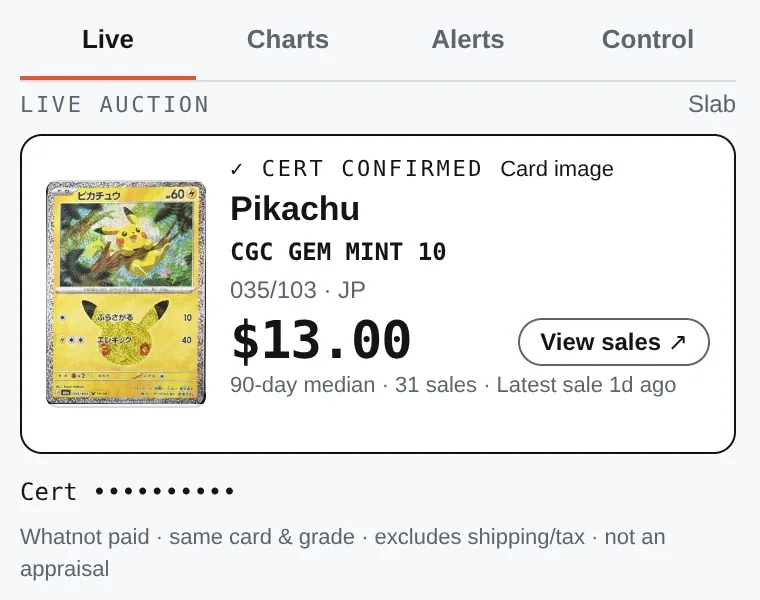
Early access
GradeRoute is in early access. It is not in the Chrome Web Store yet, so Chrome will not install or update it for you. You add it by hand, and you get a new copy from the same place when there is an update.
Steps
On your computer, sign in at graderoute.com with Google.
Choose "Get the extension" at the top of the page and download the file.
Unzip it.
In Chrome's address bar type
chrome://extensionsand press Enter.Turn on "Developer mode" at the top right.
Choose "Load unpacked" and pick the folder you unzipped.
Open the extension and sign in with the same Google account. Read and accept the notice.
Open a Whatnot show with graded slabs.
What it reads
The public stream you are watching: frames and card crops from the stream, the sale facts of each finished auction, and the seller's store name. For a sold lot it also records the buyer's Whatnot username. That name is kept for a limited time and is only ever shown masked. It does not read chat. The notice inside the extension has the full list.
What it never does
It never bids, buys or posts, and it does nothing on your Whatnot account.
What it costs
2 free Whatnot streams per Google account. No payment card. Paid plans are planned and not on sale yet.